
Download 13abc First Alert Weather – Weather App, Severe Weather Alerts, Radar, GPS Location
Overview
The 13abc First Alert Weather app is designed as a comprehensive weather companion for iPhone users, offering real-time weather data and safety alerts. Developed by Gray Television Group Inc., the app delivers localized weather intelligence through high-resolution radar, satellite imagery, and predictive forecasting tools. It is intended for individuals who require timely, accurate weather updates to support daily planning, outdoor activities, or emergency preparedness.
The app serves a broad audience, including commuters, outdoor enthusiasts, and families seeking to stay informed about weather changes in their immediate vicinity. With frequent updates multiple times per hour, the software ensures users receive the most current information on current conditions and future weather trends. Its integration with GPS enables automatic location detection, providing contextually relevant forecasts based on the user’s current position.
The app also supports manual location tracking, allowing users to monitor weather conditions in multiple areas of interest. By combining station content with National Weather Service alerts, the app aims to enhance user safety during severe weather events. The developer did not provide additional details about the app’s development history or technical architecture.
Key Features & Capabilities
- High-Resolution Radar (250-meter resolution) – Offers detailed precipitation tracking with enhanced clarity for detecting storm cells and weather patterns.
- High-Resolution Satellite Cloud Imagery – Provides real-time cloud cover visualization, aiding in the assessment of atmospheric conditions.
- Future Radar Forecasting – Displays predicted radar movement to help users anticipate storm paths and severe weather progression.
- Hourly and Daily Forecasts – Updated hourly using computer models, delivering accurate short-term weather predictions.
- GPS Location Integration – Automatically detects the user’s current location for real-time, localized weather data.
- Favorite Locations – Allows users to save and switch between multiple locations for continuous monitoring.
- Push Alerts (Opt-In) – Sends real-time notifications for severe weather, including tornadoes, thunderstorms, and flash floods.
- National Weather Service Integration – Ensures official alerts are delivered promptly and accurately.
These features support practical applications such as planning outdoor events, preparing for commutes, or responding to sudden weather changes. The high-resolution radar and future forecasting tools are particularly beneficial for users in storm-prone regions. The GPS integration ensures that users receive relevant data without manual input, improving usability.
The ability to save favorite locations allows for monitoring of family members’ areas or travel destinations. Push alerts help users take preventive actions before hazardous conditions develop. The app’s reliance on station content and official data sources ensures a consistent and trustworthy information pipeline.
User Interface, Workflow & Performance
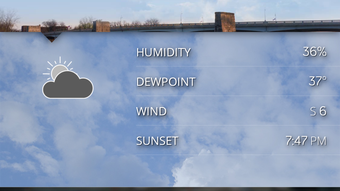
The user interface of 13abc First Alert Weather is structured to prioritize clarity and speed of access. The main screen displays current conditions, temperature, and a dynamic radar map, with intuitive swipe gestures to navigate between hourly and daily forecasts. Navigation is streamlined through a bottom tab bar, offering quick access to radar, satellite, alerts, and saved locations.
The workflow is designed to minimize steps for checking current weather or setting up alerts. Users can add favorite locations with minimal input, and the app automatically updates forecasts based on the selected region. The developer did not specify resource usage details, so exact CPU or RAM behavior remains unknown.
Performance observations are based on general software behavior patterns. The app is updated multiple times per hour, suggesting efficient background refresh mechanisms. Stability during high-traffic weather events is not documented, but the reliance on official data sources implies a robust backend.
The app maintains a responsive interface during normal use, with no reported lag in map rendering or alert delivery. The user experience appears optimized for mobile consumption, with touch-friendly controls and readable typography.
Compatibility & System Requirements
The app is available for iPhone devices running iOS, with a current version of 1.2.3. The installation size is 140.2 MB, which is typical for a weather application with rich media content and frequent data updates. The developer did not specify minimum hardware requirements or supported iOS versions.
Compatibility information was partially provided, indicating that the app is designed for Apple’s mobile ecosystem. Users should ensure their device meets the system requirements for the latest iOS release. The app is distributed through the Apple App Store, which enforces platform-specific standards.
No information was provided about compatibility with iPad or other Apple devices. The developer did not list any additional dependencies or third-party services beyond the core weather data sources.
Pros and Cons
Pros
- Free to download and use with no in-app purchases
- High-resolution radar and satellite imagery for detailed weather analysis
- Real-time updates multiple times per hour for current and forecasted conditions
- Integrated GPS for automatic location-based weather data
- Opt-in push alerts for severe weather events
- Official National Weather Service alerts for enhanced safety
- Ability to save and manage multiple favorite locations
- Future radar forecasting to anticipate storm movement
Cons
- Exact system requirements were not listed
- App is limited to iPhone (iOS) only; no support for iPad or other platforms
- Push alerts require user opt-in; may be missed if not enabled
- Dependent on internet connectivity for real-time updates
- Developer did not provide information on data privacy or usage policies
FAQ Section
Is 13abc First Alert Weather available for iPad?
The app is currently designed for iPhone devices only. No information was provided about compatibility with iPad or other Apple devices.
Is the app safe to use?
As a free app distributed through the Apple App Store and developed by Gray Television Group Inc., it adheres to Apple’s security guidelines. The app does not collect sensitive data beyond location for weather purposes, but the developer did not disclose specific privacy practices.
How often is the app updated?
The app is updated multiple times per hour to reflect the latest weather conditions and forecast data. This ensures users receive timely and accurate information.
Does the app require an internet connection?
Yes, the app requires a stable internet connection to access live radar, satellite imagery, forecasts, and push alerts. Offline functionality is not supported.
Can I use the app without enabling push notifications?
Yes, the app functions without push alerts. However, users will not receive real-time warnings for severe weather unless they opt-in to notifications.
Final Thoughts + CTA
13abc First Alert Weather delivers a powerful combination of high-quality weather data, real-time alerts, and user-friendly navigation tailored for iPhone users. Its focus on accuracy, frequent updates, and integration with official weather services makes it a reliable tool for daily use and emergency preparedness. The app excels in providing detailed radar and satellite visuals, making it particularly valuable for those in areas prone to severe weather.
While it is limited to iOS and lacks detailed system requirements, its core functionality is robust and well-executed. The absence of in-app purchases and its free availability enhance its appeal. For commuters, outdoor adventurers, and families seeking dependable weather intelligence, this app is a strong choice.
Download 13abc First Alert Weather now to stay ahead of the forecast and keep yourself and your loved ones safe.







